
Getting onboarded with FeedbackClarity
Part 1: Granting access to your google my business account
Please grant us admin access to your Google Business account so we can assist you with the reviews you want to challenge.
You may add us manually:
- Ensure you start on your desktop, mobile will be a little harder
- Open a google chrome browser. If you do not have google chrome, you can download it here
- Sign into your account at the top right on Chrome. Make sure its the account associated with your google my business account. To double check, you can always go to your google my business and sign in there. Link to Google my business here
- In the search bar, you can type in your business name and city, and google will show you your business on google like below
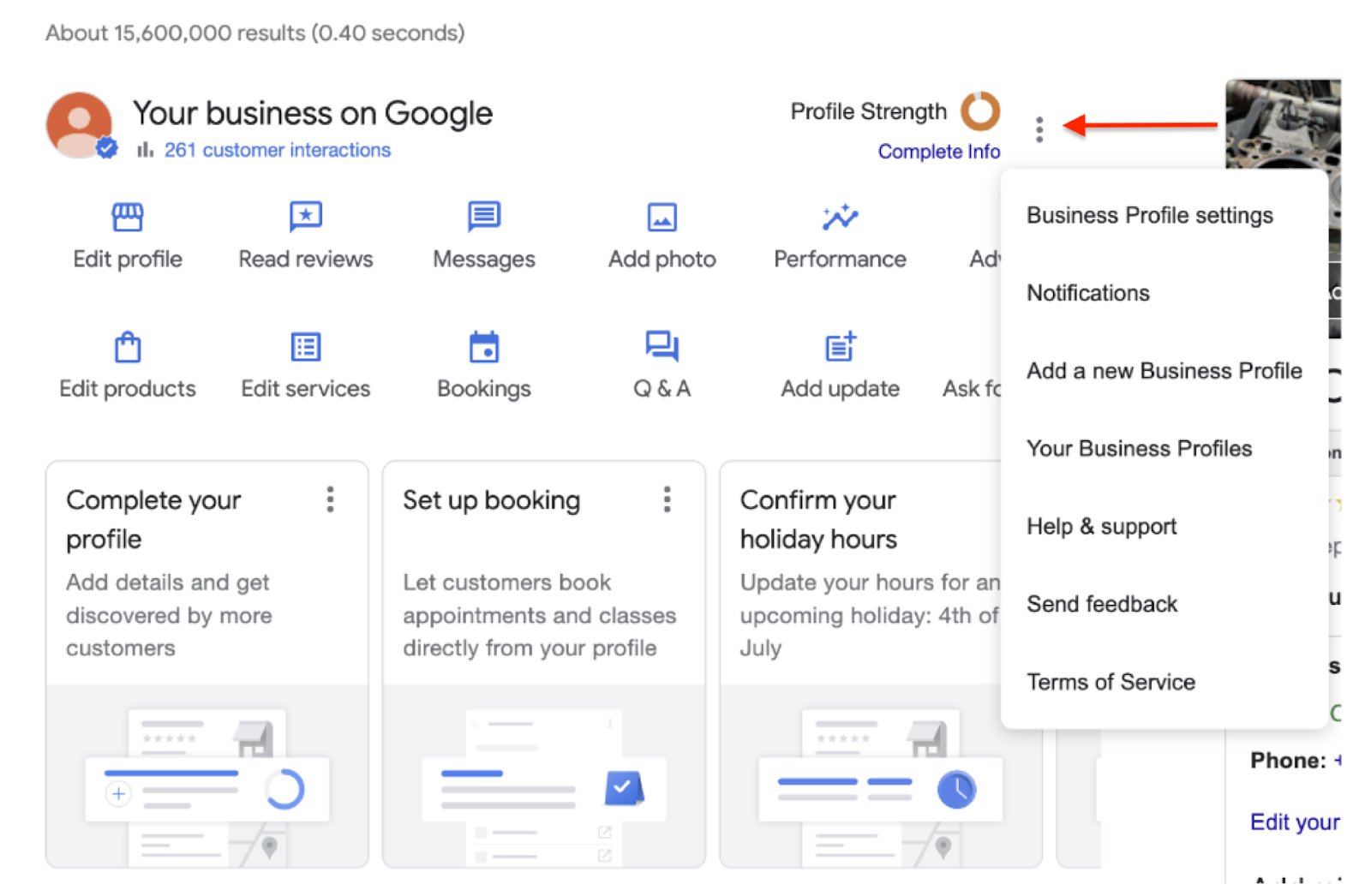
- On the Google Business page, please click the 3 dots as shown below, and go to “Business Profile Settings”
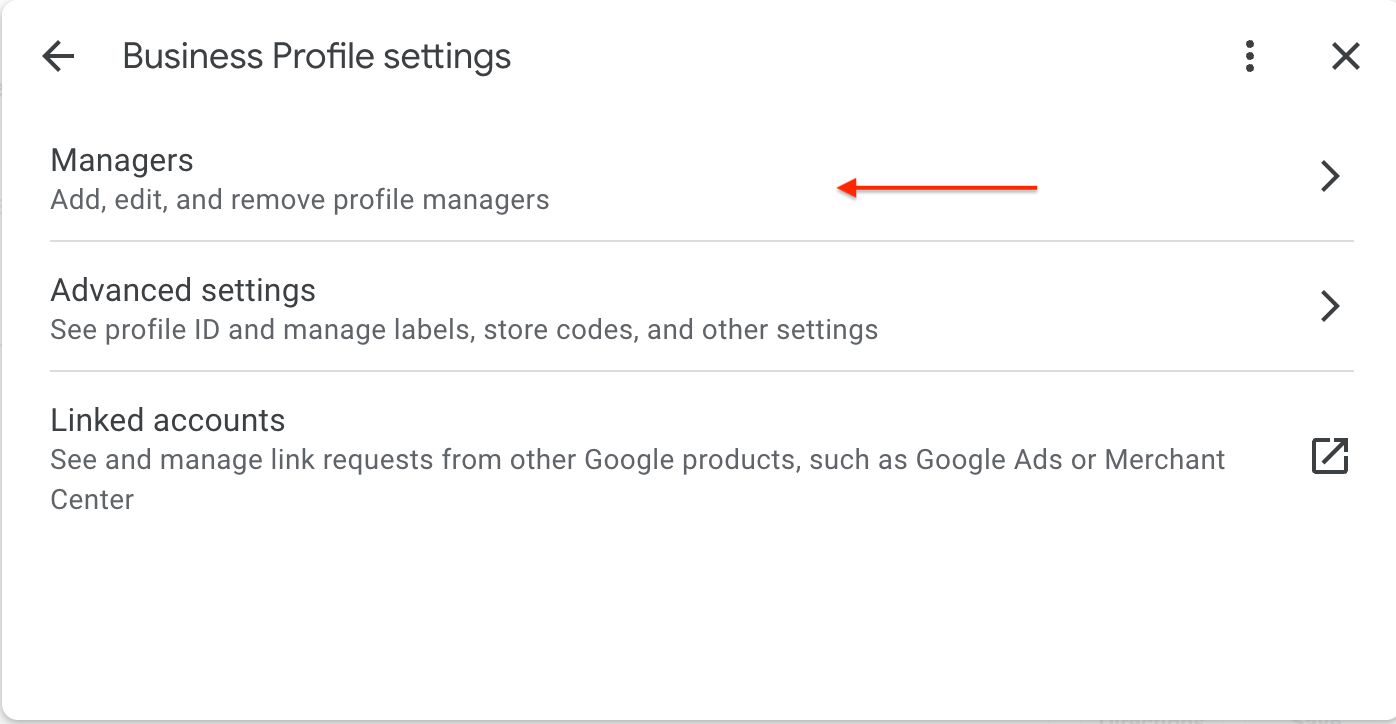
- Click on “Managers”
- Add our email address: feedbackclaritygmb@gmail.com
- Please select manager as the user type when adding
- Your done with the first step, now to log into our dashboard
Part 2: Log in to our Feedback Clarity Dashboard
This will allow you to log into the FeedbackClarity Dashboard to use your array of features
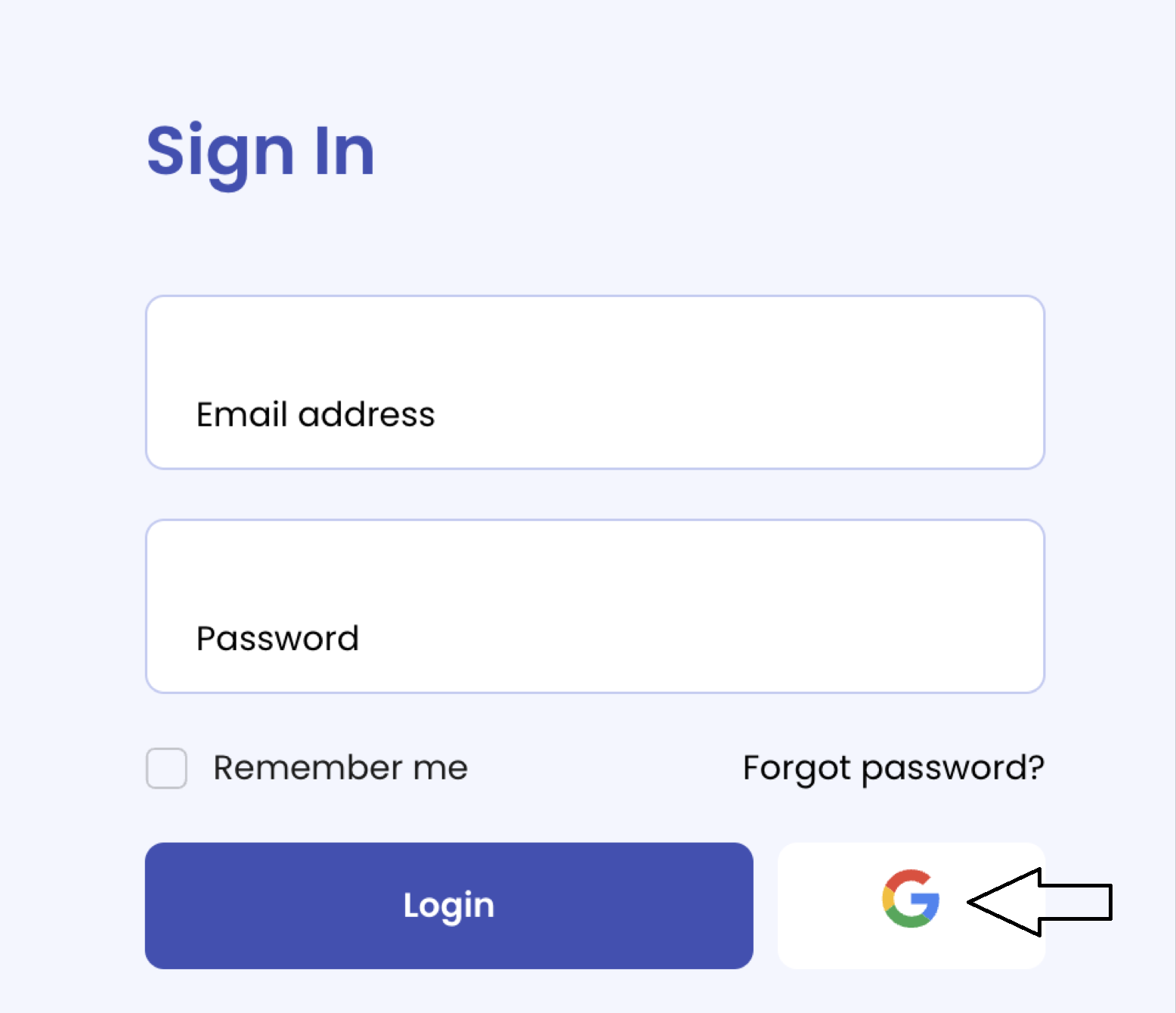
- Log in to FC Dashboard by going to https://feedbackclarity.com/dashboard/ through the “G” icon using the email address associated with the GmB account. (You can also just visit feedbackclarity.com and hit the lock icon to login)
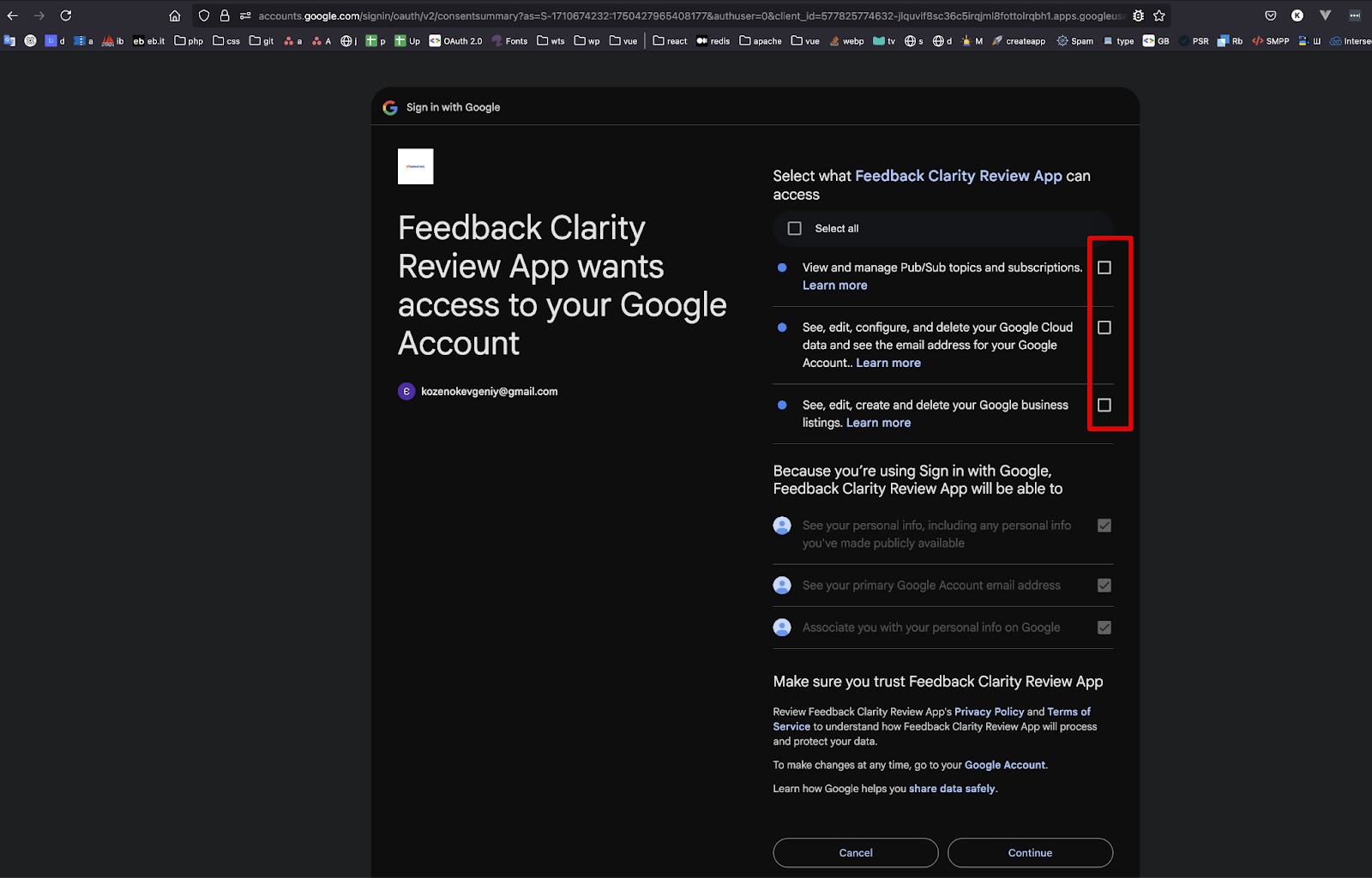
- To ensure full functionality, please make sure all permission boxes are selected when signing in.
- Once you log in, you will see your dashboard for the first time. Give it about 10-15 minutes to fully populate with all of your reviews and data. Now you are ready to get started!
- You have fully completed all access points and can get started flagging reviews, building your survey to get more reviews and turning on AI to start replying to new reviews!
Not able to login ?
If you have any questions or would prefer to walk through it in person, You can setup a quick zoom call with an onboarding specialist here.